
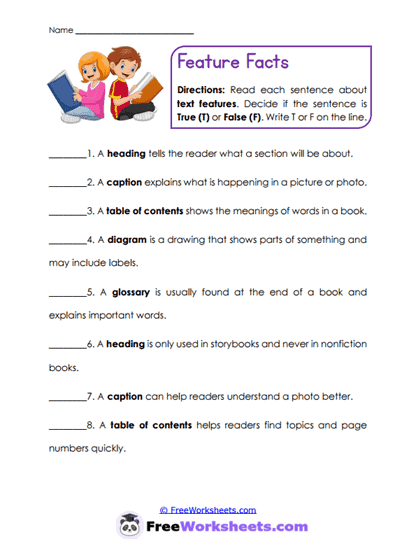
About This Worksheet
This worksheet brings everything together by asking students to use multiple text features to find answers. Instead of focusing on just one feature, students must decide which tool-heading, diagram, caption, or glossary-will help them.
This is exactly what real readers do when working with nonfiction texts.
It’s a great step toward independence.
Curriculum and Grade Alignment
This worksheet supports Grade 2 informational text navigation and aligns with CCSS RI.2.5 and RI.2.7.
Student Tasks
Students read an informational page and answer questions, identifying which text feature helped them.
Common Challenges and Misconceptions
Students may rely only on the main text and ignore helpful features.
A helpful prompt is: “Look around-where else could the answer be?”
Implementation Guidance
Have students point to the feature they used before writing their answer.
Details and Features
This worksheet integrates multiple text features into one cohesive activity, helping students see how they work together. The layout mirrors real nonfiction pages, which builds familiarity and confidence. The questions guide students to think strategically about where to find information. This not only improves comprehension but also builds efficiency when reading. The structure encourages students to actively engage with the entire page, not just the main paragraph.
Curriculum Overlap
Using multiple features strengthens many skills.
- Supports research skills
- Builds independence
- Improves comprehension
- Encourages strategic thinking